Built for Windows 10 and 11 · 64-bit

Key Clicker automates your clicks.

A lightweight Windows utility that handles repetitive clicking so you don't have to. Set up hotkeys, define click patterns, and let the tool run in the background while you focus on something else.

No data collectionCompletely free foreverRuns locally onlyv1.0
Hotkey-drivenLightweightFree to useBackground executionNo bloat
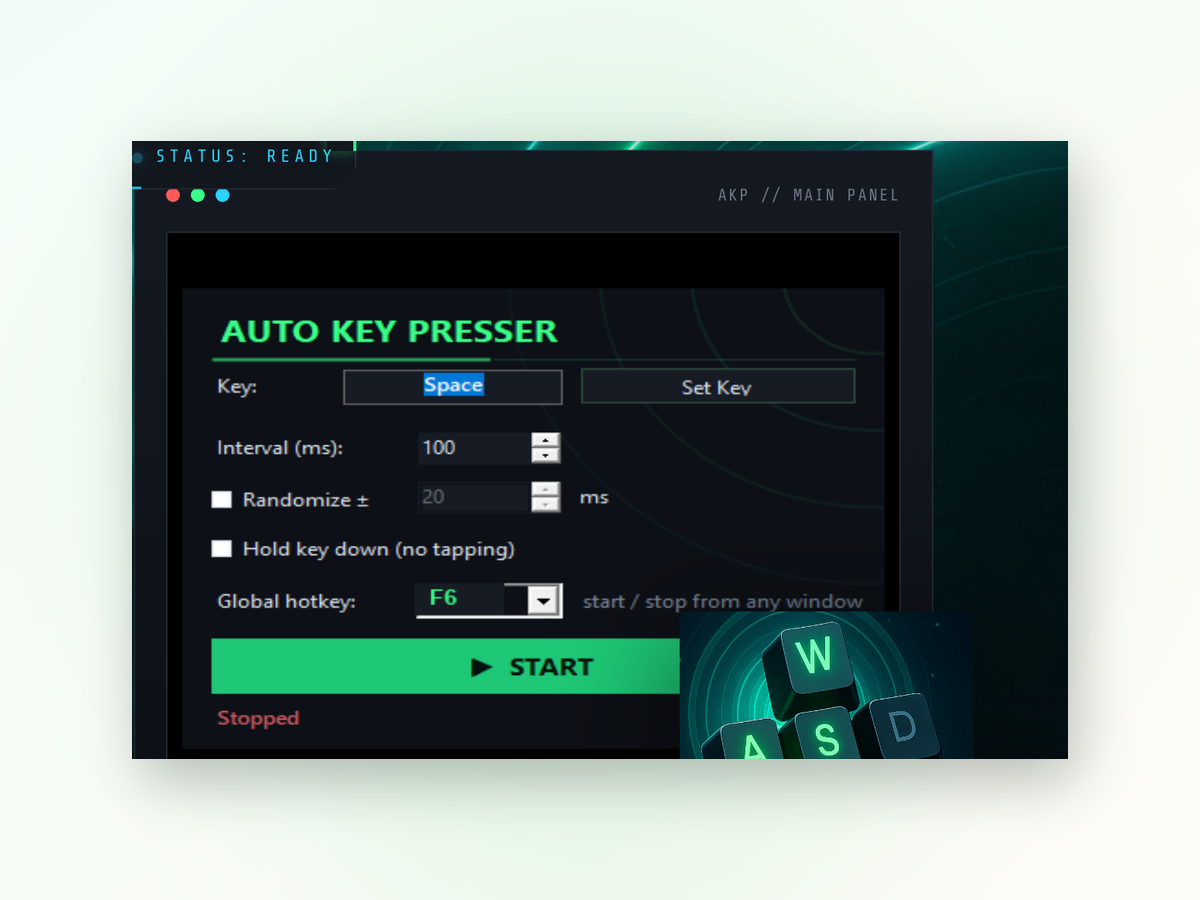
Key Clicker app window on Windows
Clear advantages

Why use Key Clicker instead of clicking manually.

Manual clicking wears you out and introduces inconsistency. Key Clicker keeps your workflow steady and your hands free.

01

Hands-free operation

Once configured, the clicker runs without any further input from you. Perfect for tasks that require sustained, repetitive interaction. You can step away or work on something else while it executes.

02

Consistent results

No fatigue, no missed clicks, no timing drift. Every click lands exactly as you defined it. Reliability matters when you're automating a critical workflow.

03

Minimal resource use

Key Clicker is built to be lightweight. It doesn't hog CPU or memory, so your system stays responsive even during long automation sessions.

04

Customizable hotkeys

You control when clicking starts and stops using keyboard shortcuts you choose. No complicated menus or dialogs to navigate.

Real results
Inside the appKey Clicker window

See what automated clicking looks like in action.

Key Clicker performs consistent, reliable clicks exactly where and when you need them. The tool runs silently and doesn't interfere with your workflow—it just delivers clicks on demand.

Precise timingClicks execute at the exact intervals you specify, eliminating human timing variation.
Hotkey controlStart and stop automated clicking instantly using keyboard shortcuts you define.
Background operationThe tool runs invisibly while you work on other tasks or windows.
Simple setup

Getting started with Key Clicker.

Setup takes just a few minutes. Download, configure your hotkeys and click settings, then launch it.

1
Download and launchGet Key Clicker and run the application on your Windows machine.
2
Define your hotkeySet which keyboard shortcut will start and stop the clicking automation.
3
Configure click settingsSpecify where to click, how many times, and at what speed or intervals.
4
Activate and monitorPress your hotkey to start clicking and watch the tool work while you handle other tasks.
Answers

Common questions about Key Clicker.

vs. online tools

How Key Clicker compares to online alternatives.

Web-based clickers require uploading files or running untrusted scripts. Key Clicker runs locally on your computer.

Key Clicker

  • Where it runs — Local on your PC
  • Data privacy — Nothing uploaded
  • Cost — Completely free
  • Speed — No latency delay
  • Setup effort — Minutes
  • Offline use — Full functionality

Online clicking tools

  • Where it runs — Requires browser
  • Data privacy — Sent to server
  • Cost — Often paid features
  • Speed — Network dependent
  • Setup effort — Account required
  • Offline use — Not available

Stop wasting time on repetitive clicking.

Download Key Clicker now and let your Windows machine handle the monotony while you focus on what matters.

Download for Windows
Latest release · v1.0